.png/_jcr_content/renditions/c1.png)
We’ve created some ‘How to’ videos and compiled a list of frequently asked questions – and the answers – to help you understand more about My Honda.
Browse our ‘How to’ videos
Basics |

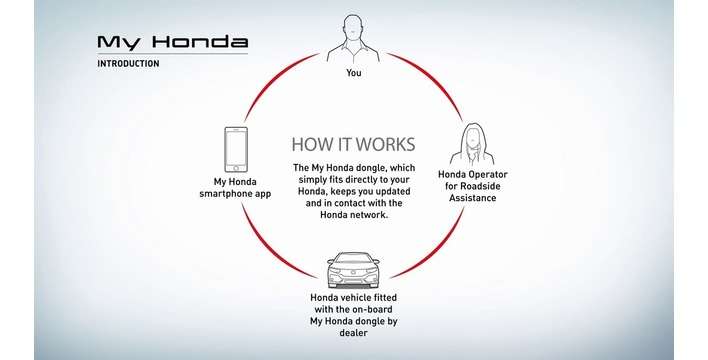
My Honda Introduction See the video > |

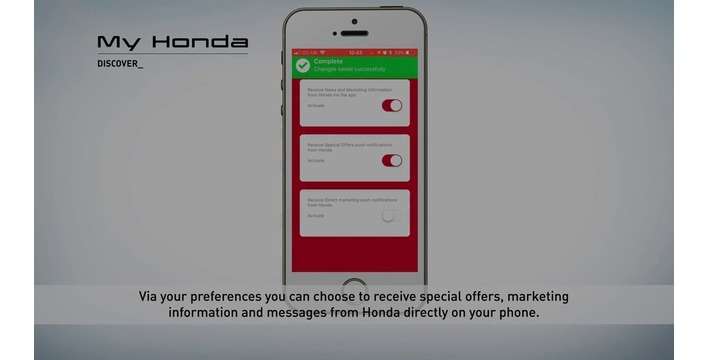
My Honda Discovery See the video > |

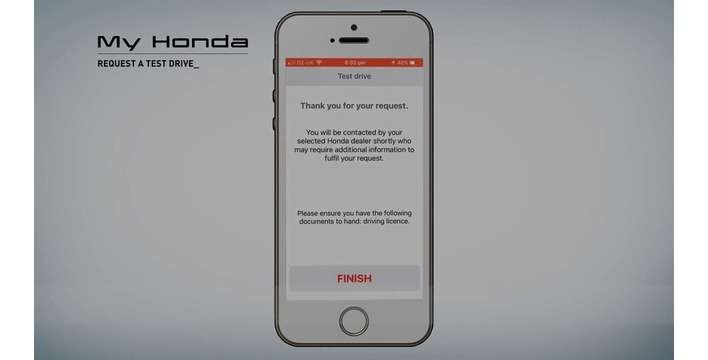
Request a Test Drive See the video > |
|---|---|---|---|
Maintenance |

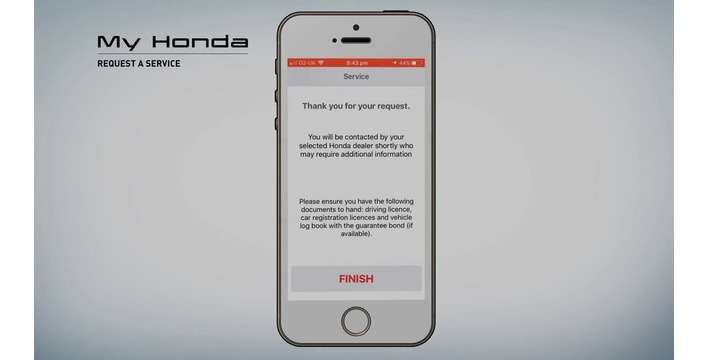
Request a service See the video > |

Impact alert See the video > |

Vehicle Health See the video > |
On the road |

Trip analysis See the video > |

Over-speed alert See the video > |

Roadside assistance See the video > |
Localisation |

Share your location See the video > |

My Honda Zone Control See the video > |

Find My Car See the video > |
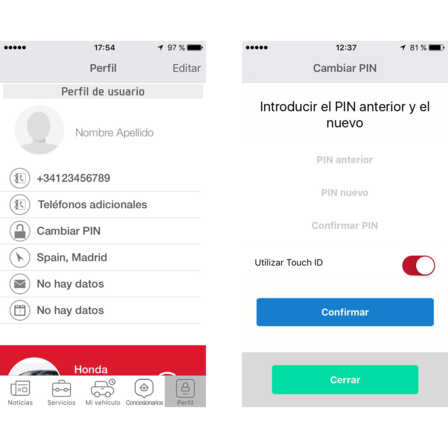
You will be sent an automatically-generated PIN when you register for My Honda, it’s not a problem though to change this to something you can remember more easily. Simply press Change Pin in your user profile and follow the instructions. If your smartphone is an iPhone 5S or later, you can also activate Touch ID for even faster access to the app.
Yes, you can add other non-connected cars manually in your Profile so that you can request a service appointment via your My Honda app.
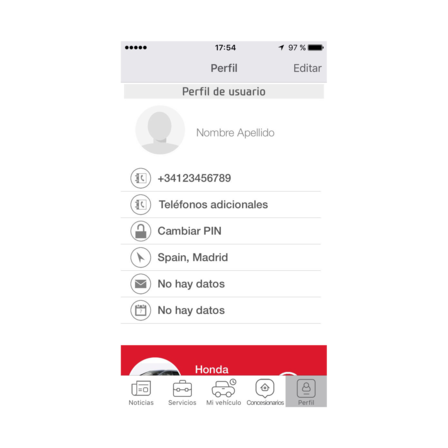
You can add friends and family members to your connected car, meaning they can also benefit from the My Honda convenience and safety features.
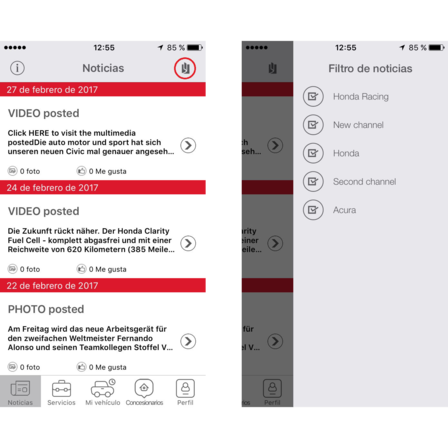
There is a filter icon in the News section that allows you to choose the news categories that will appear in your My Honda News feed.
All news items include a share icon that allows you to send a news item to friends or family via social networks or email etc.
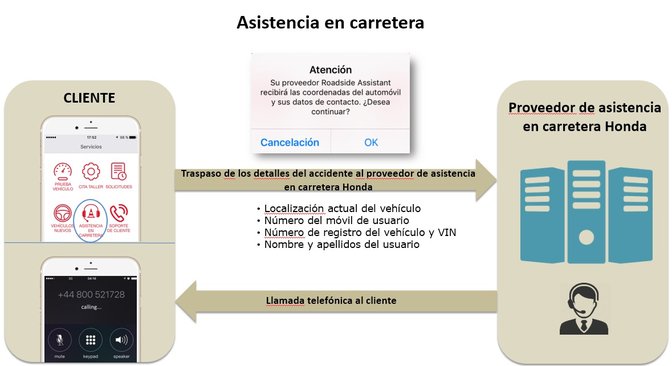
If you get into trouble on the road and need assistance, you can use My Honda to send your GPS location to Honda’s Roadside Assistance provider. A trained operator will call you to give you the right assistance*. This service is also valid in other European countries if you travel in the following locations:
Andorra, Austria, Belgium, Bosnia, Bulgaria, Croatia, Cyprus (excluding Northern Cyprus), Czech Republic, Denmark, Finland, France (& Corsica), Germany, Gibraltar, Greece, Hungary, Ireland, Italy (& Sicily, Sardinia & San Marino), Luxembourg, Malta, Monaco, Netherlands, Norway, Poland, Portugal, Romania, Slovakia, Slovenia, Spain, Sweden, Switzerland (& Liechtenstein) and UK.
We reserve the right to amend the geographical limits to cover in the event of war, civil disturbance, riot or radioactive contamination.
* Please note that recovery will only be provided free-of-charge if you hold valid cover via Honda.
You can use your score to help you track your daily driving style. You will start the day with 100 points and you lose points throughout the day for sudden accelerations and decelerations, and speeds in excess of 130 km/hour. Try to end the day with as many points as possible!
The algorithm is based on your driving efficiency and the daily 100 point score decreases based on three main parameters:
a) Sudden accelerations (SA) – number of accelerations of more than 30 km/h during a 3 second time interval
b) Sudden braking (SB) – number of decelerations of more than 30 km/h during a 3 second time interval
c) High speed (HS) – number of minutes driving at more than 130 km/h (average fuel consumption indicator strongly increases after 130 km/h, the app detects it as inefficient driving style indicator).
Calculation formula:
100 (starting points) – SA (number of times) – SB (number of times) – HS (number of minutes)
Your score will not drop below 30.
Yes! You can see scores by journey, by day and by week. Click on a route and press the bar graph icon in the map – the app will show your score and average speeds for that journey. You can also see this information for a day by clicking on each day in the weekly graph. By running your finger over any of the graphs, you can see your average speeds for each time interval.
Your vehicle is equipped with On Board Diagnostics which are constantly measuring and monitoring the various vehicle systems. If an abnormality is detected it is recorded in the system as trouble codes. In some instances it is required to make the driver aware of a malfunction, it such a case the malfunction indicator light on your dashboard will be displayed. The My Honda device is able to read all the trouble codes detected by your vehicle including those that do not trigger the malfunction indicator light.
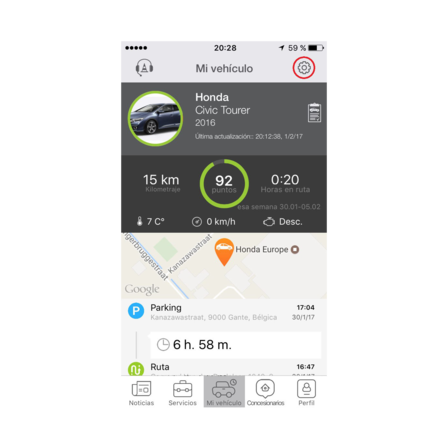
You will need to activate your security settings on your My Honda app in order to receive the corresponding alerts, they are not pre-programmed. You can do this by clicking on the cog icon in the My Car screen:
Towing Alert notifies you if your car has been moved without the engine running.
Over Speeding Alert warns you if your car exceeds a pre-set speed limit and continues to exceed it
Zone Control sends you an alert if your car leaves a designated area, drawn by yourself within the app
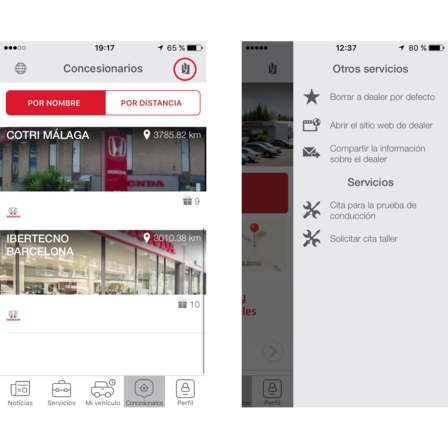
The app will default to the Honda dealer where you purchased the My Honda package – it will always appear in the top of the dealer search list. When you request a test drive or service booking in My Honda, this preferred dealer will automatically be selected.
If you want to change your preferred dealer, choose a new Honda dealer and swipe from the right. Click on the button to ‘set the dealer as default’ and this will now appear at the top of your dealer list.
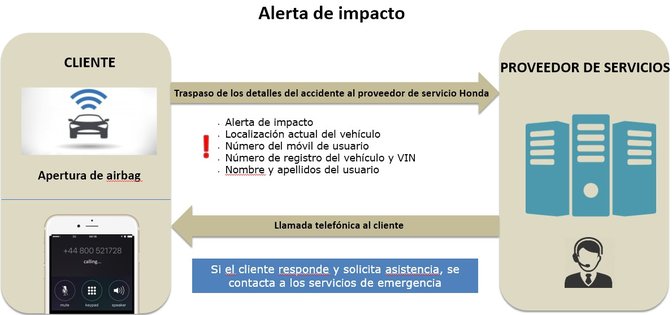
In the unfortunate event that your car is involved in an incident and the airbags are deployed, My Honda will automatically trigger an alert to a service provider call centre through your connnected car. A trained operator will then call you on your smartphone as the registered owner of My Honda app to establish if you require the emergency services.


 Frequently Asked Questions